Crew App

An app your crew will use. Today’s jobs, then done.

For crew leads and owners who worry a crew won’t use an app. Open it, see today’s stops, get directions, tap done and take the photo. That’s it.

30-day free trialNo cardNo contract

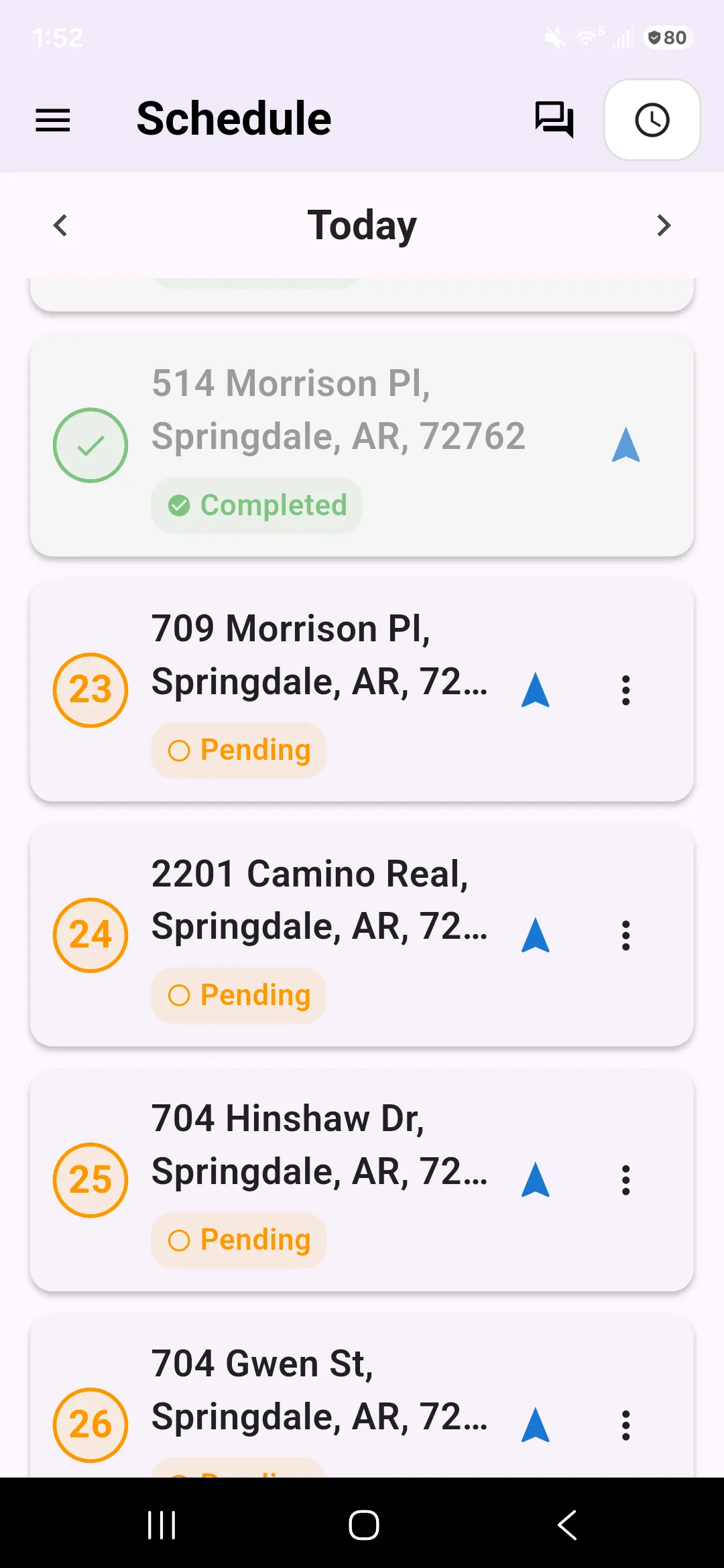
ExampleThe Lawnly crew app showing today’s stops in order for one crew, each with its address and a status.

Crews skip apps that get in the way

If it takes five taps and a login to find the next address, they go back to texts. Then you chase photos, hours and “did you do the Millers?” all week.

Built for gloves and a bright sun

The app is on iPhone and Android. Crew members sign in once and see only their own work.

Open it and see today

The app opens on today’s stops. Tap one for the address and open directions in your maps app. Tap Start when you begin the job and Complete when you’re done.

  • Time on site is recorded from the Start tap to the Complete tap
  • The office sees the job start and finish as it happens
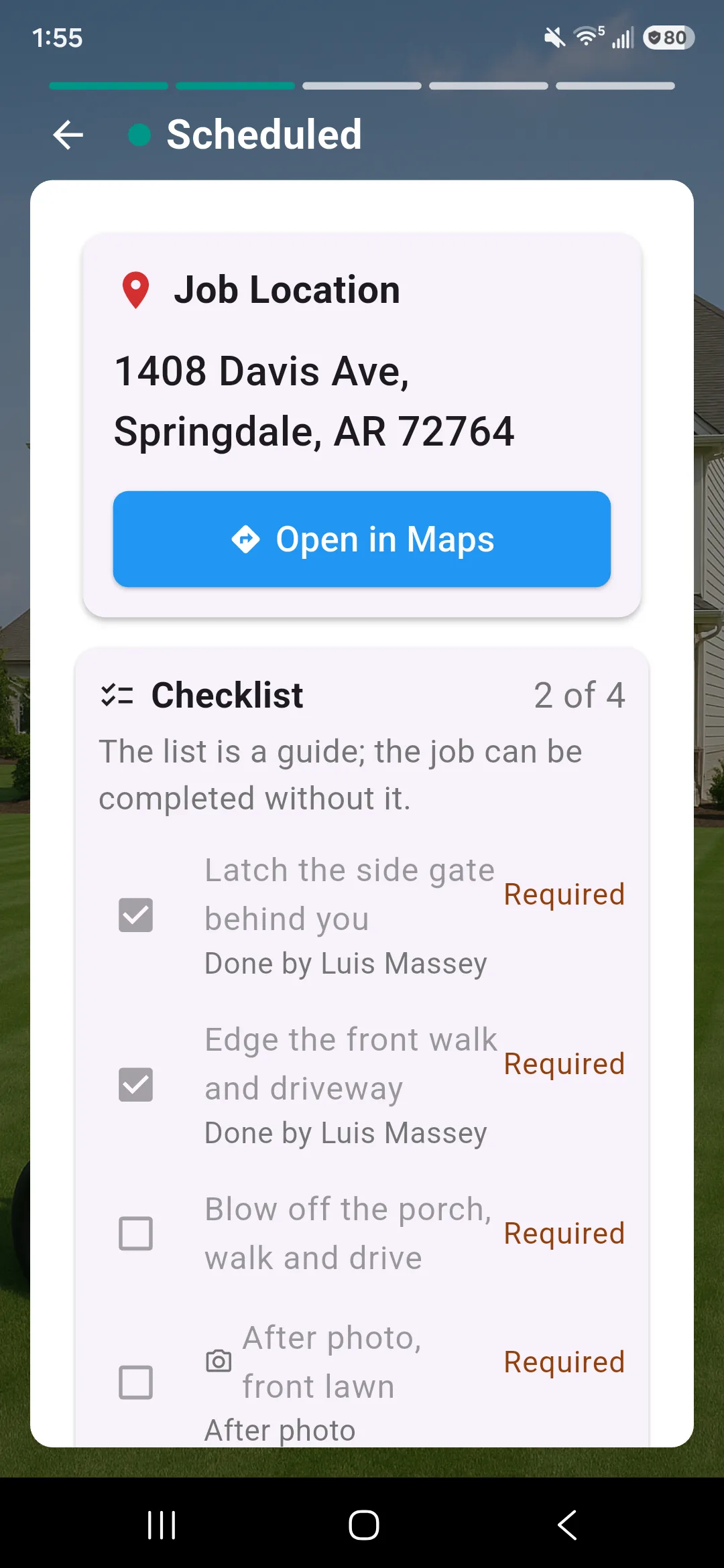
ExampleA job screen in the crew app with the property address, an Open in Maps button and the job’s checklist.

Before and after photos on every job

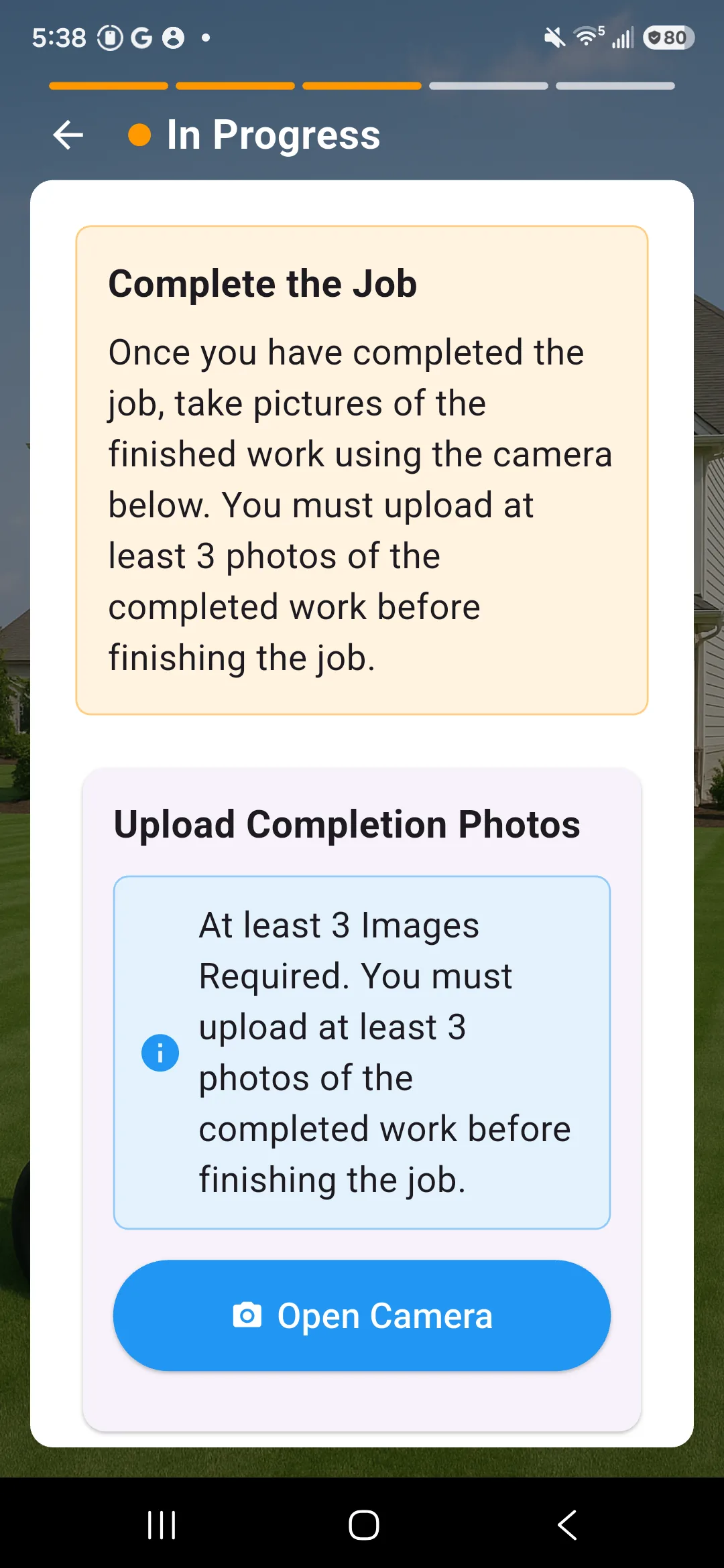
Take photos right in the app and they attach to the job. Turn on photo rules and a crew can’t start or finish without them, or leave the rules off.

  • You see the photos on the web, on the customer’s job
  • You are told when photos are added
ExampleThe crew app asking for at least 3 photos of the finished work before the job can be completed, with an Open Camera button.

Know where each job was marked done

Lawnly notes where the phone was when a job was started and finished. If it was far from the address, the timesheet shows a flag for you to look at. It flags it. It doesn’t stop your crew.

  • A flag appears when a job was started or finished more than 400 feet away
  • Lawnly never tracks anyone continuously
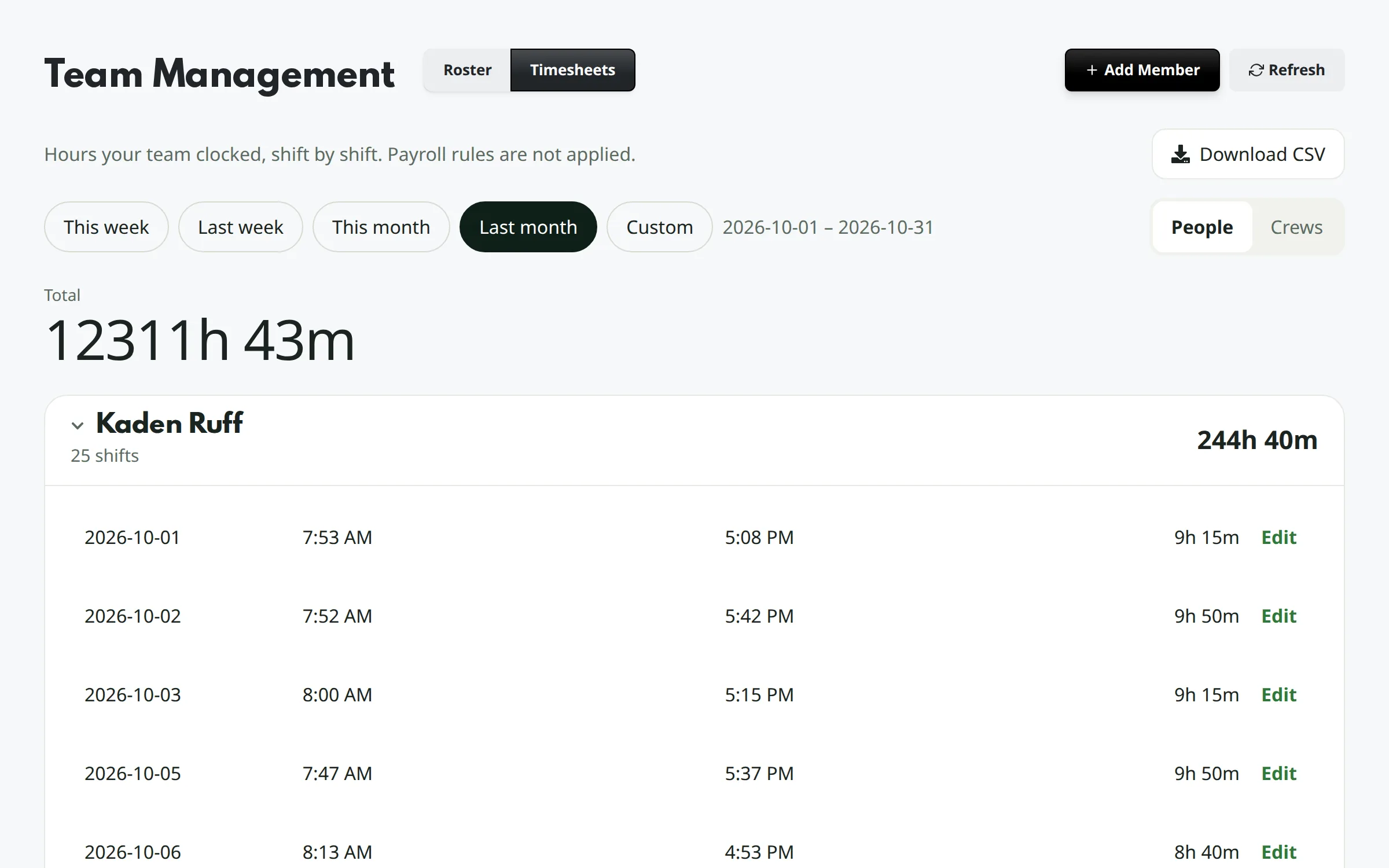
The Timesheets page with last month’s hours per person and one person’s shifts opened.

Clock in and out, hours add themselves up

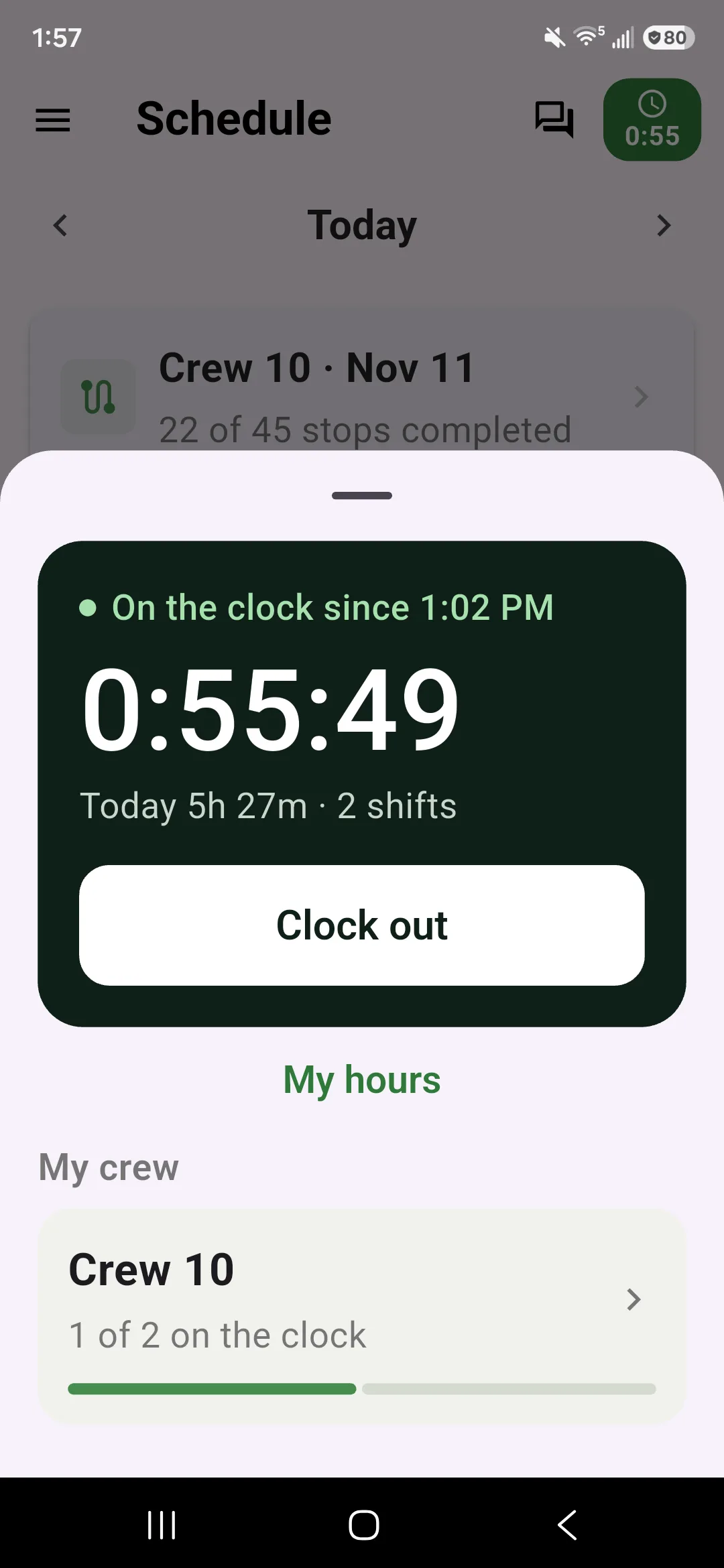
Crew clock in from the top of the app. A crew lead can clock the whole crew in with one tap. You see hours per person or per crew, fix a missed clock-out and download a spreadsheet.

ExampleThe crew app’s time clock: on the clock since 1:02 PM, today’s total across two shifts, and how many of the crew are clocked in.

Checklists, messages and Spanish

Put a checklist on a job and the crew checks it off. Message a crew, one person or everyone, and they read it in the app. The app also speaks Spanish, and follows the phone’s language or the one you pick.

  • Strict checklists must be done before a job is completed, unless a manager completes it anyway
  • Team messages stay separate from customer messages

Your numbers stay yours

Crews see their jobs, not your business

Each person gets a role. The crew role is the smallest.

  • A crew member sees their own jobs and time clock. No prices and no customer contact details.
  • A crew lead sees their crew’s jobs and timesheets, and customer phone numbers. No prices.
  • Invoices, payouts, reports and settings are for the roles you give them.
  • You can change what any person can see, one permission at a time.

Say it, it’s done

Update the crew from the truck. Every exchange is an example.

Lawnly assistantExample
Tell Crew 1 to leave at 6:30 tomorrow, rain or shine.
Sent to Crew 1 in the Lawnly app.
Lawnly assistantExample
Clock me in.
Clocked in at 6:42 AM.
Lawnly assistantExample
Any time flags from this week?
2 flags. Marcus finished the Oak St. job more than 400 feet from the address on Tuesday. Dee clocked out 75 minutes after her last job on Thursday.
  • 1,100+
    Lawn care businesses on Lawnly
“The CRM, routing, and auto-charge features let us focus on work — not admin.”
Ryan Melancon, Duo Lawn Care
Ryan Melancon
Duo Lawn Care
Fayetteville, AR

Which plan fits

Start with Crew.

The app is on every plan, and each plan has a number of team seats. Crew gives a growing business room for its crews, with expense reports and higher assistant and text limits.

Compare every plan

Crew
$99/month
  • Up to 3 crews
  • 8 users
  • 1,000 AI messages a month
  • 600 customer texts a month

30-day free trial · No card · No contract

Questions owners ask

Does my crew need to be tech-savvy?

No. The app opens on today’s stops. The main things a crew does are tap a stop, start it, take photos and complete it.

Will my crew see what I charge?

No. The crew and crew lead roles don’t show prices. The crew role also hides customer contact details, while crew leads see phone numbers.

Are photos required?

Only if you turn that on. You can require photos before a job starts, before it is completed, or both.

Does it track my crew all day?

No. Lawnly notes the phone’s location when a job is started or finished, and when someone clocks in or out. It never tracks anyone continuously.

Does the app work in Spanish?

Yes. It follows the phone’s language, or each person can pick Spanish in the app. Ask Lawnly, the AI assistant, doesn’t have a Spanish mode yet.

Less paperwork. More lawns.

Try Lawnly free for 30 days. No card, no contract. Run it from the dashboard, or just tell it what you need.

30-day free trialNo cardNo contract