Charged the moment the job is done
Turn on automatic charging and the card on file is charged as soon as your crew marks the job done. No invoice to send, nobody to chase.
For owners with two or three crews. Cards are charged when a job is done, you see what you actually keep, and crews work without calling you.
30-day free trialNo cardNo contract

Three trucks out, and you are at the kitchen table at 9 p.m. sending invoices, matching receipts and answering “what time are you coming?”. Growing should not mean more desk time.
Built for the step where you stop doing every job yourself.
Turn on automatic charging and the card on file is charged as soon as your crew marks the job done. No invoice to send, nobody to chase.
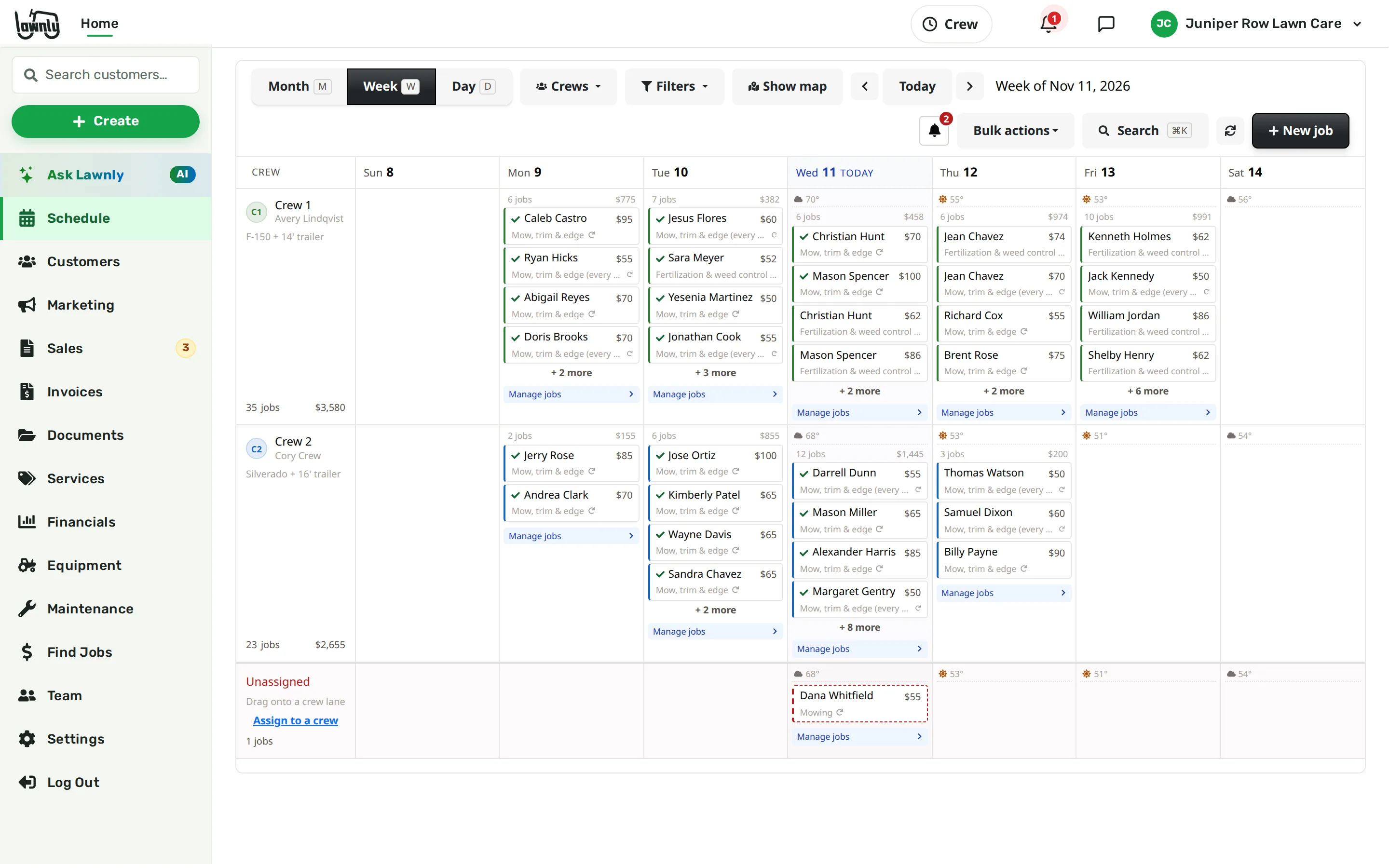
Each crew sees its own stops, gets directions, ticks the checklist and adds photos. The job shows where it was marked done.
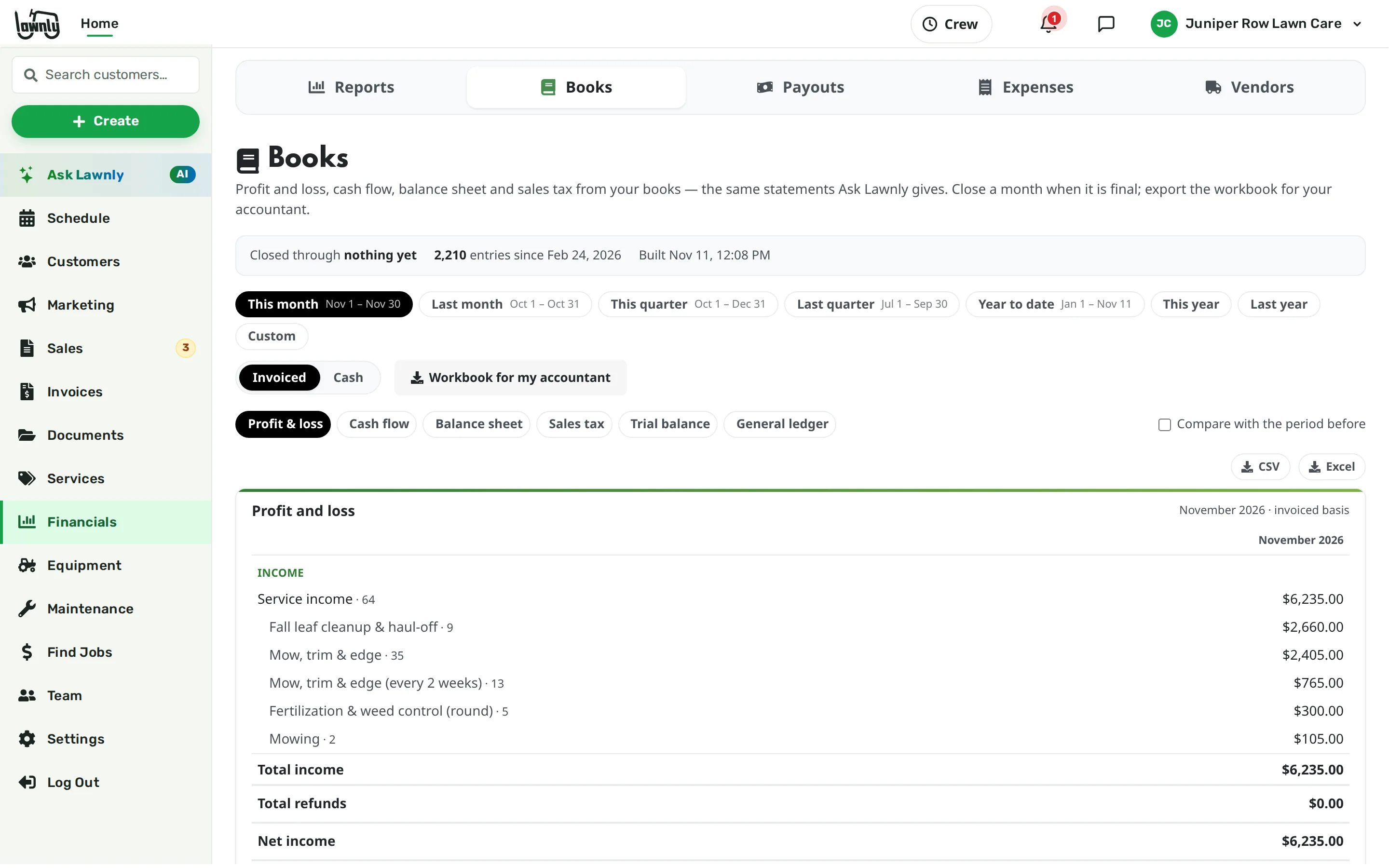
Snap a receipt and it becomes an expense. See expenses and net profit, and send one workbook to your accountant at tax time.

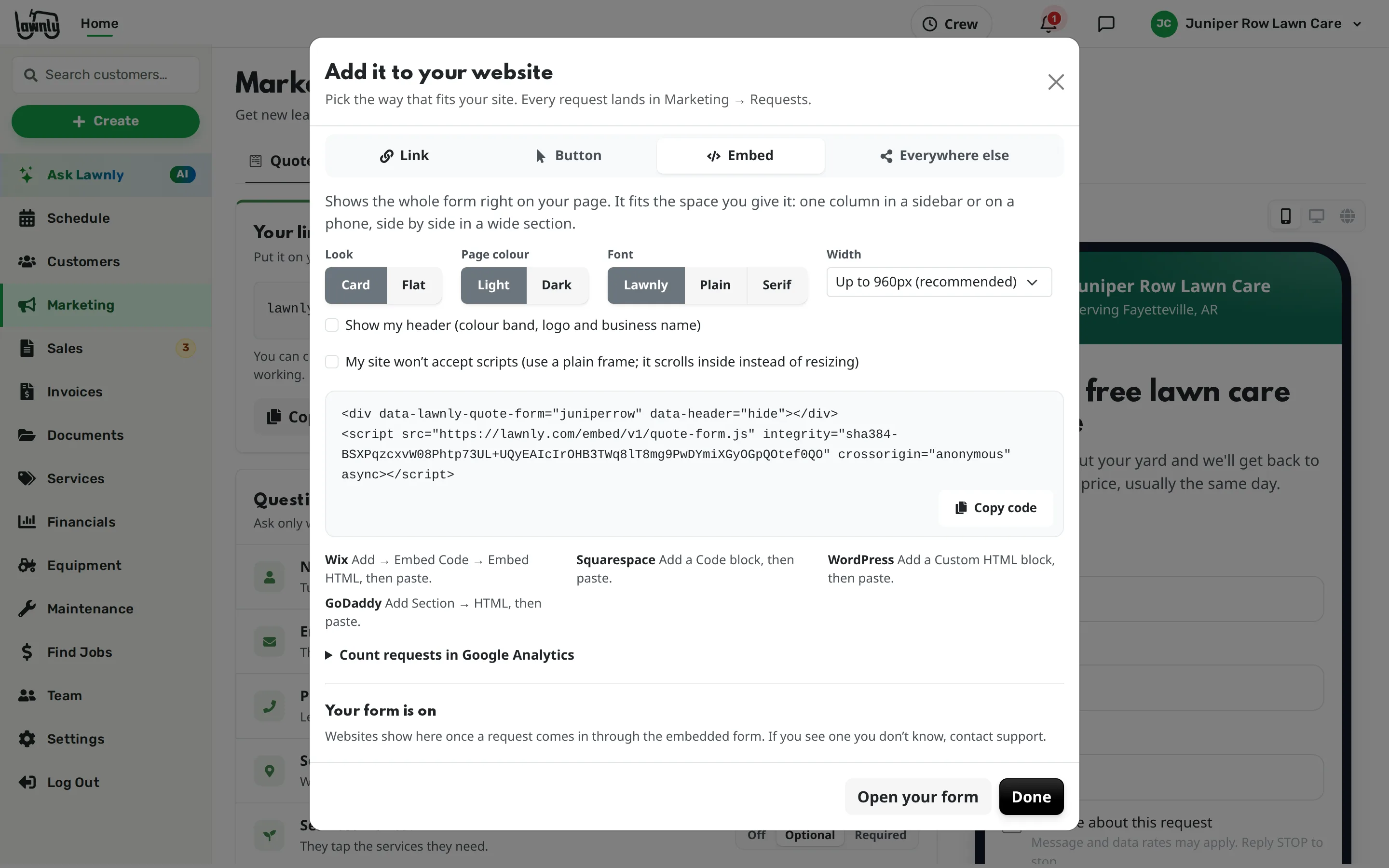
Share your quote request link, print the QR code for your trucks and yard signs, or put the form on your website. Each request arrives with the address, what they want and photos.

Send one email to every customer or a group: spring start, a price note, a fall cleanup reminder. Schedule it once or set it to repeat each year.
Control without being in the middle
Type it or say it. Lawnly checks with you before anything reaches a customer or moves money.
“The CRM, routing, and auto-charge features let us focus on work — not admin.”

Which plan fits
Crew is built for up to three crews. It adds expense reports, net profit and the accountant export, with higher assistant and text limits than Solo.
30-day free trial · No card · No contract
No. Crew members see their own jobs, never the owner’s numbers. Crew leads see their crew’s jobs and customer phone numbers, with no prices.
Jobs can require photos and a checklist before they are marked done, and each job shows where it was marked done. Your business decides which of these to require.
No. Automatic charging when a job is done is on every plan, Solo included. Crew adds expense reports, net profit and the accountant export.
Yes. The accountant export is one workbook you download and send.
It should take work away. Crews handle their own days in the app, cards are charged when jobs are done, and you can ask the assistant instead of clicking through screens.
Try Lawnly free for 30 days. No card, no contract. Run it from the dashboard, or just tell it what you need.
30-day free trialNo cardNo contract