Scheduling & Routing

Your week, by crew. Rain days, handled in one move.

For owners whose schedule lives in their head or on a whiteboard. See every crew, every day and the forecast in one calendar. Move work when the weather turns.

30-day free trialNo cardNo contract

The Lawnly calendar in week view with a row for each crew, mowing jobs on every day and the forecast above each day.

The schedule is in your head

A whiteboard, a text thread and a memory. Then it rains on Thursday and you spend the night moving 14 jobs by hand and telling every customer.

One calendar for every crew

Owners and managers plan on the web. Crews see their own day in the app.

See the week by crew

Open the calendar in day, week or month view. In week view every crew has a row, with one more for jobs nobody has yet. Drag a job to another day or another crew.

  • The forecast shows on each day, and Lawnly warns you when you move a job onto a rainy one
  • A crew over its daily capacity is flagged so you can spread the load
  • Open any job to complete it, text the customer or change its price
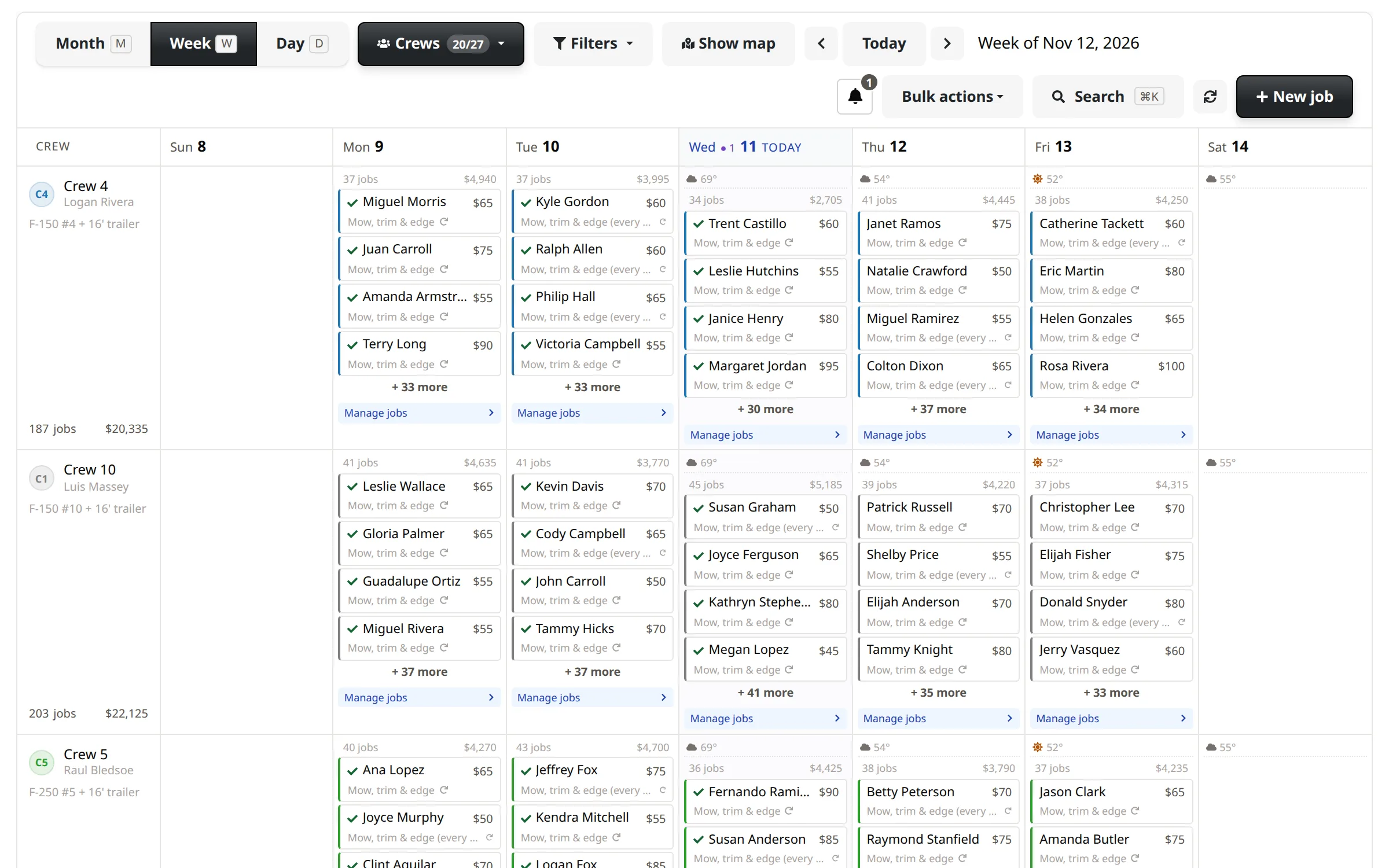
Week view of the calendar with a row for each crew and every crew’s mowing and cleanup visits laid out across the days.

Weekly mowing that keeps itself going

Set a job to repeat every week, every two weeks, monthly or every few days. Lawnly fills in visits through your season and keeps adding them, so the route never runs dry.

  • Change the price on every future visit in one step
  • Stop a series, or pause one customer for a few weeks
  • Your season dates decide when visits are scheduled
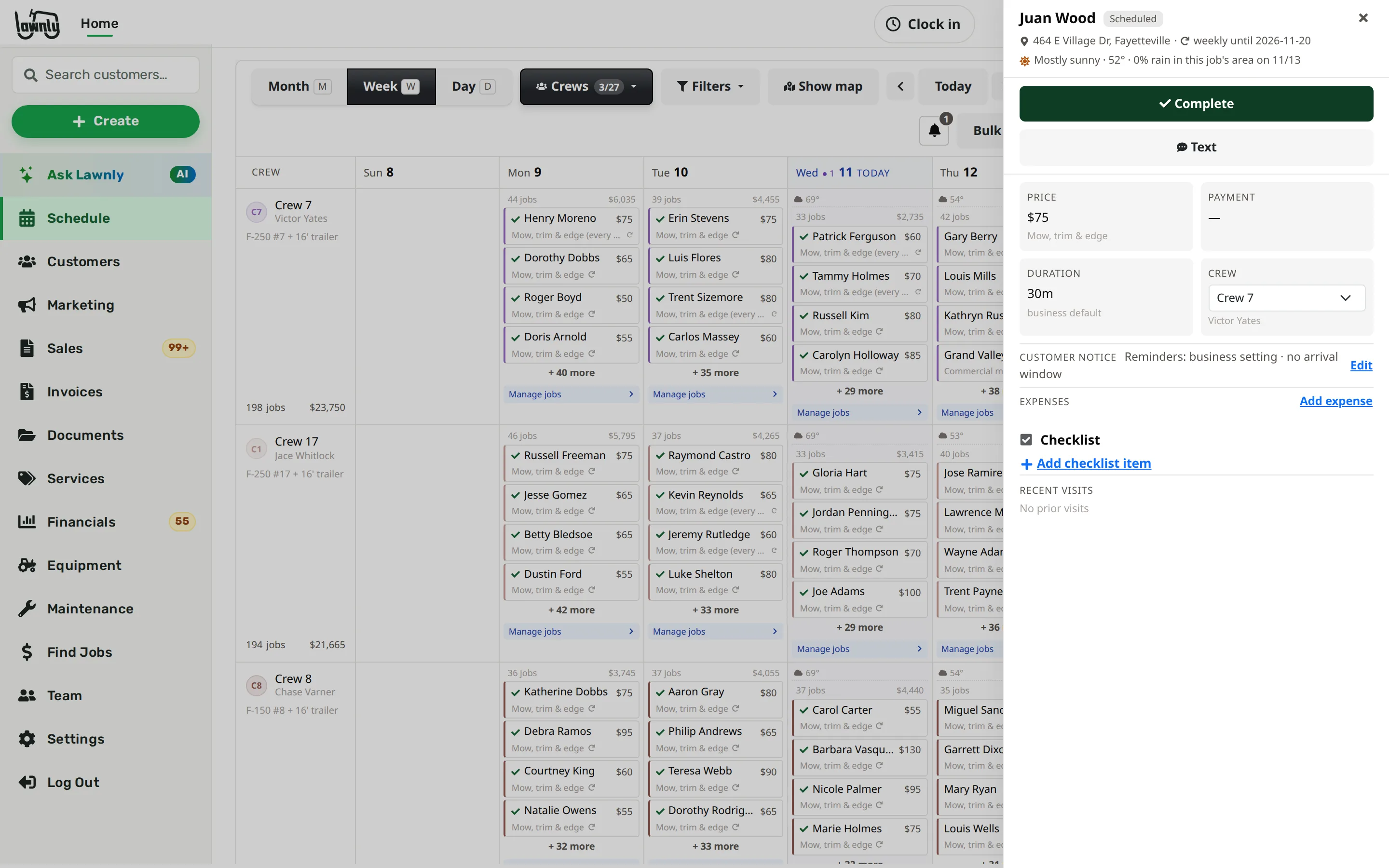
A recurring mowing job open from the calendar: it repeats weekly until the season ends, with its price, its crew and its recent visits.

Rain day? Move it in one step

Tell Lawnly to move Thursday’s unfinished jobs to Friday, or clear a day or a whole range. Cleared visits are cancelled, not deleted, and you can undo a clear for 7 days.

  • Run the rain plan from the “Needs attention” bell, or just ask
  • Text the customers whose day changed, after you tap to confirm
  • Keep a customer’s series running or stop it, your choice
Lawnly assistantExample
Rain Thursday. Move Thursday's jobs to Friday.
Moved 14 unfinished jobs from Thursday to Friday. 12 of those customers get texts. Let them know?
Send
Pro and up

Every stop in order, on a map

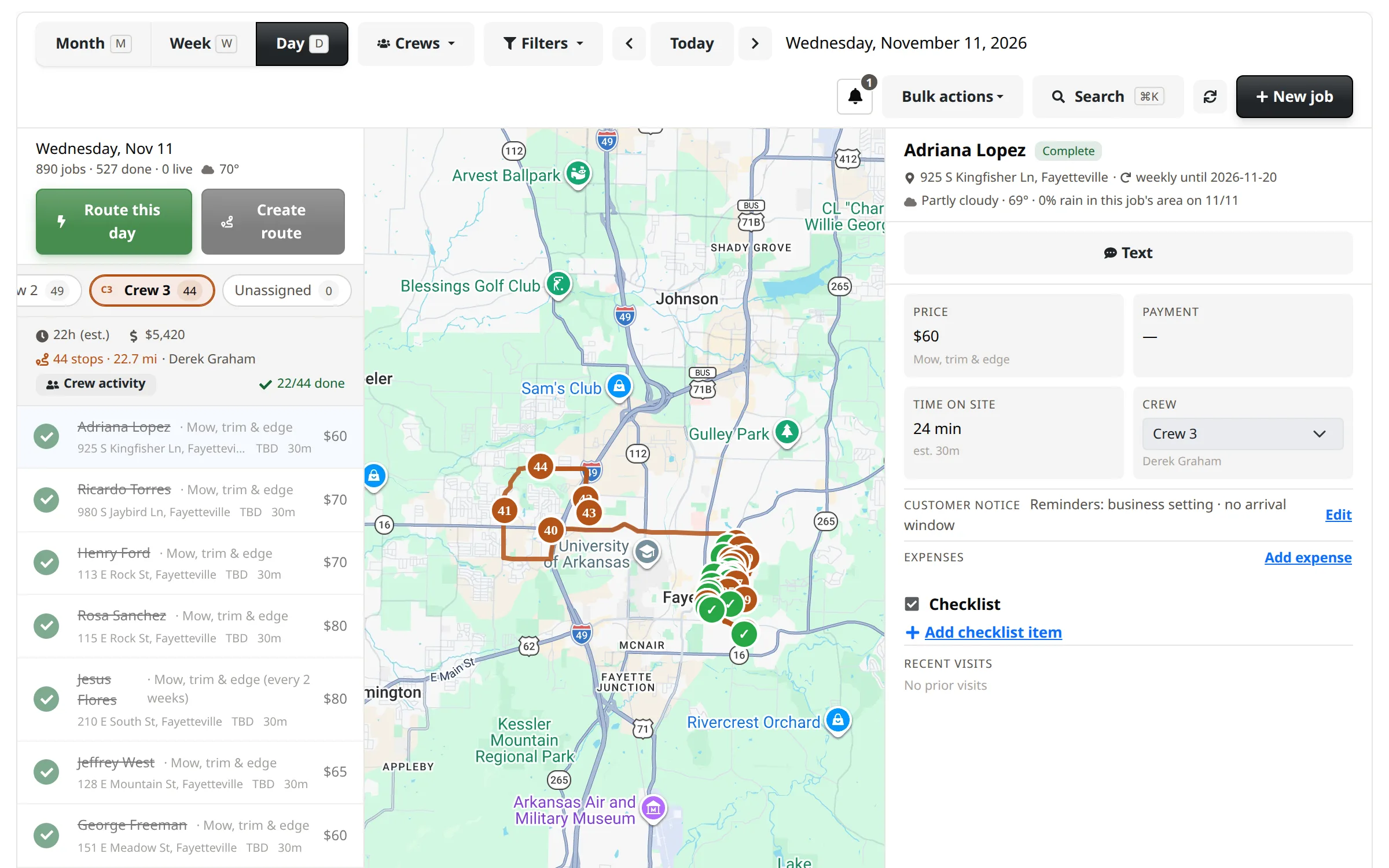
In day view, pick a crew and see its stops on a map with the weather, the time and the value of each. Put the stops in driving order, pin a first or last stop and make it the crew’s route.

  • The route changes when the schedule does, so you never rebuild it by hand
  • The crew lead sees the route in the app
Day view for one crew with its stops numbered in driving order on a map beside the list of jobs.

Routes that build themselves, if you want them

Turn on one setting and Lawnly builds tomorrow’s routes overnight, at the hour you pick. Choose how jobs are grouped and how many stops a route can hold. Prefer to do it yourself? Leave it off.

  • Off by default: it is a switch in Settings, under Routing & automation
  • Jobs already on someone’s route are left alone

You stay in charge

Nothing moves behind your back

Lawnly changes the calendar when you say so. It never texts a customer without your tap.

  • Clearing a day shows you the count first, and lets you keep chosen customers.
  • A clear can be undone for 7 days.
  • Jobs that are completed, paid or cancelled can’t be dragged around by accident.
  • Customers only get a text if they agreed to texts.

Say it, it’s done

The same calendar, moved by a sentence. Every exchange is an example.

Lawnly assistantSpoken from the truckExample
Push today's last two stops to tomorrow morning.
Done. Both moved to tomorrow morning.
Lawnly assistantExample
Add spring cleanup for the Parkers, the Hendersons and the Garcias, first two weeks of April.
Booked 3 spring cleanups between April 1 and 14.
Lawnly assistantExample
Clear next Monday for the holiday. Keep the Parkers.
Cleared 41 visits for 39 customers. The Parkers are kept. You can undo it for 7 days.
  • Up to 70%
    Of the office work Lawnly can handle
    136 of 193 hours a month for a 3-person office
  • 1,100+
    Lawn care businesses on Lawnly
“The CRM, routing, and auto-charge features let us focus on work — not admin.”
Ryan Melancon, Duo Lawn Care
Ryan Melancon
Duo Lawn Care
Fayetteville, AR

Which plan fits

Start with Crew.

The calendar, crews, recurring jobs, weather and rain days are on every plan. Crew fits a business with up to three crews. Route view is a Pro line, for when you run several crews a day.

Compare every plan

Crew
$99/month
  • Up to 3 crews
  • 8 users
  • 1,000 AI messages a month
  • 600 customer texts a month

30-day free trial · No card · No contract

Questions owners ask

Can I see more than one crew at once?

Yes. In week view every crew has its own row, and you can show or hide crews from the Crews menu. Each crew can have a daily capacity, so you see when one is overbooked.

What happens to customers when I move a rainy day?

Nothing, until you say so. Moving the jobs doesn’t message anyone. Lawnly then offers to text the customers whose day changed, and only those who agreed to texts get one after you tap to confirm.

Does Lawnly plan my route for me?

It puts a crew’s stops in driving order on a map, and you can drag them or pin a first and last stop. Route view is on the Pro plan. Building tomorrow’s routes overnight is a setting you turn on yourself.

Will my crews see all of this?

No. Crews see their own jobs in the app. The calendar where you plan, move and clear work is for owners and managers.

Can I undo clearing a day?

Yes, for 7 days. Visits come back with their earlier status, and stopped series start again. Visits that were already completed or have an invoice are never cleared.

Less paperwork. More lawns.

Try Lawnly free for 30 days. No card, no contract. Run it from the dashboard, or just tell it what you need.

30-day free trialNo cardNo contract