Quotes & Estimates

Send the quote today. Know when they say yes.

For owners losing jobs to slow quotes. Build one from your own prices in minutes, send it by email or text, and see who opened it.

30-day free trialNo cardNo contract

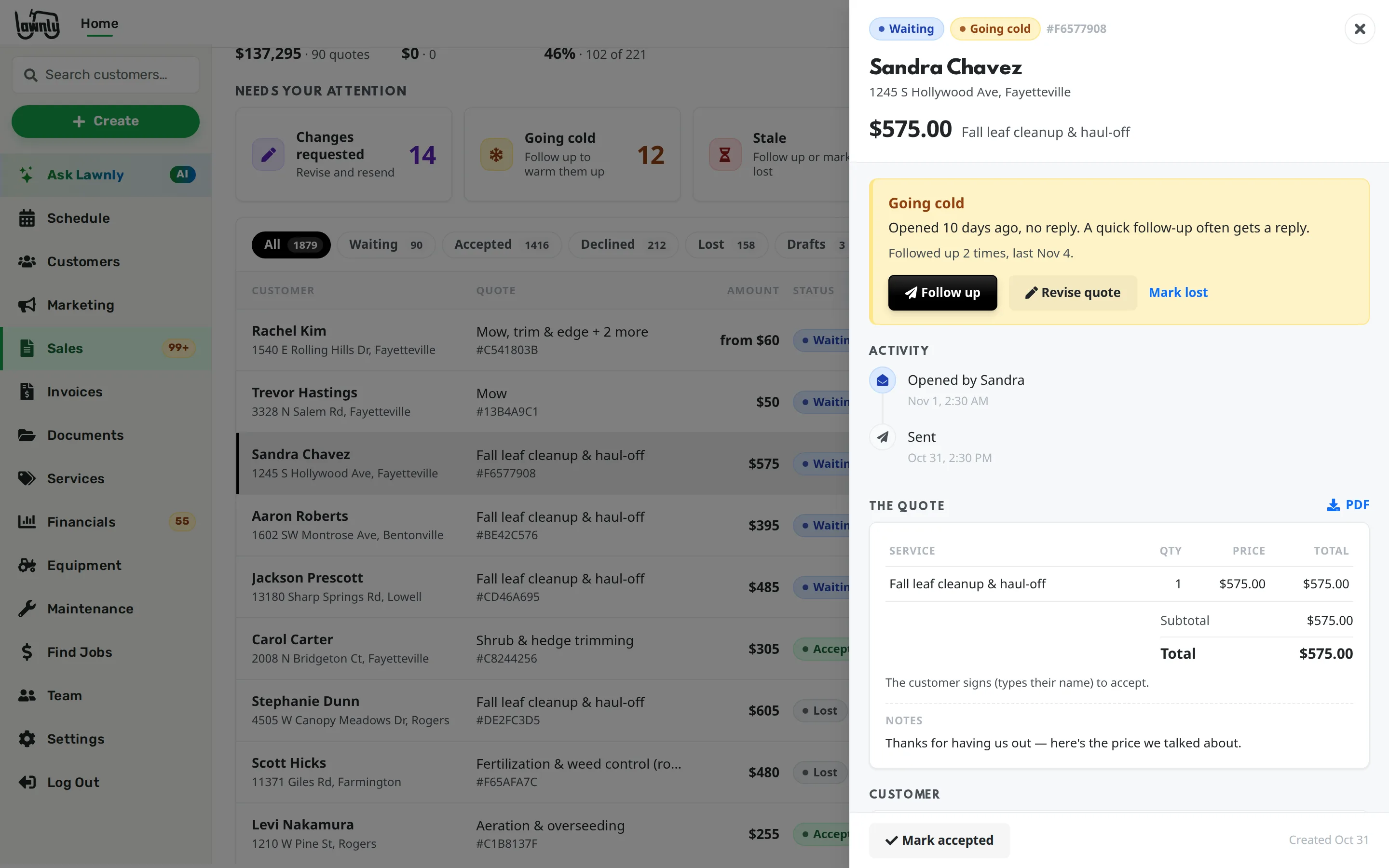
The Sales tab listing quotes waiting on customers, with which ones were opened, which are accepted and which have gone cold.

The first quote usually wins

You measure on the weekend, price it on a napkin and send it Tuesday. By then the customer has another number, and you never know if yours was even opened.

From a price book to a signed yes

Everything below is on every plan.

Quote from your own services and prices

Save your services once. Pick them on a quote, set the quantity and send. Price a service by lawn size and Lawnly works the number out from each property.

  • Price bands by square feet, or a rate per 1,000 sq ft
  • Measure the lawn on a satellite map from the address, then adjust it
  • Sell mulch, stone and soil by the yard, ton or bag, with the yards worked out for you
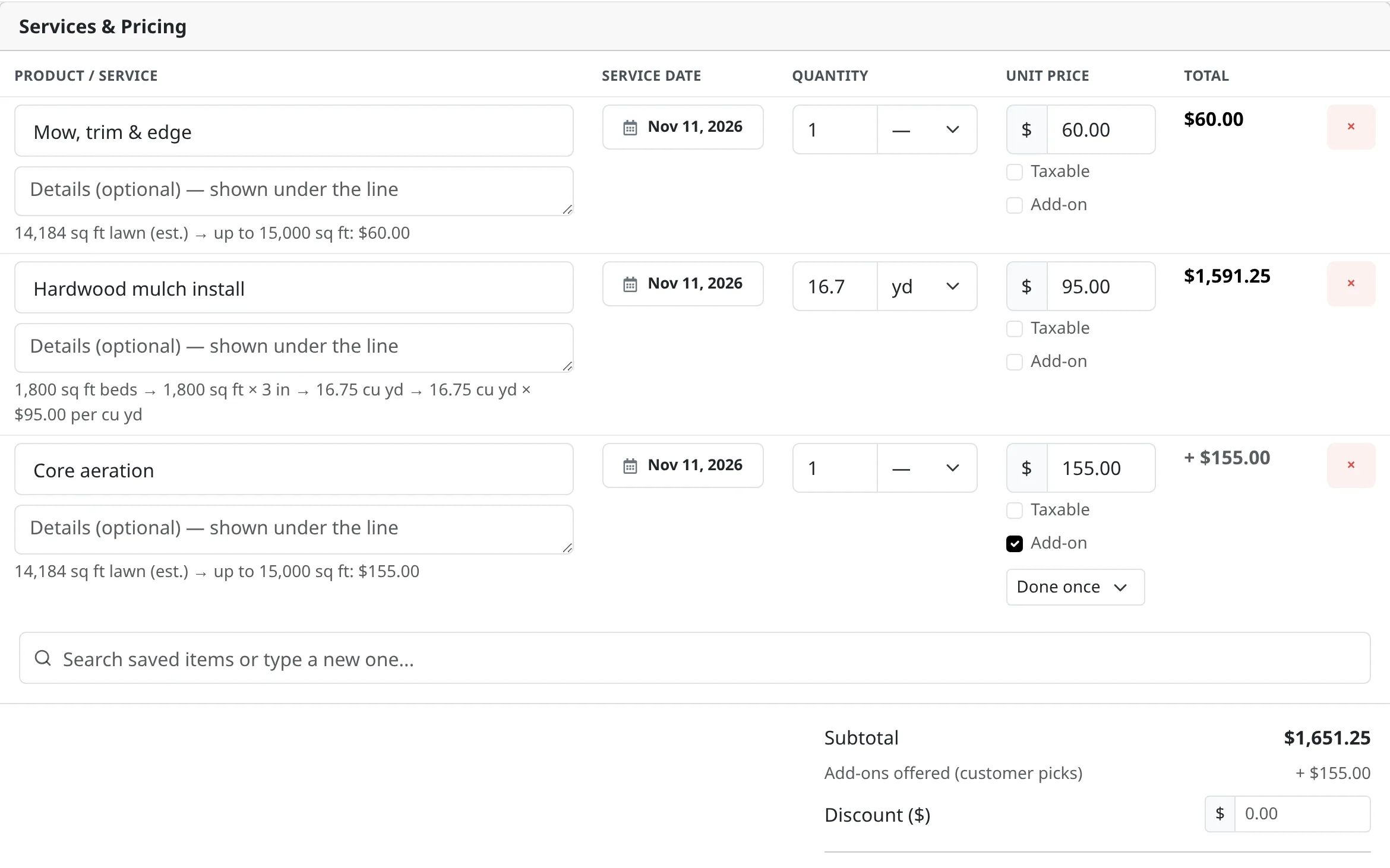
The quote builder: mowing priced from the measured lawn size, hardwood mulch worked out to cubic yards from the beds, and core aeration offered as an add-on the customer can pick.

Offer extras the customer can tick

Mark a line as an add-on, like aeration with a mowing quote. It is listed but not in the price until the customer ticks it, and the total updates as they do.

  • Once, or on every visit of a repeating job
  • Only the add-ons they tick go onto the job

Send it by email or text, and watch it

Send by email, by text, or both. Texts go to customers who agreed to them. The quote shows when it was opened, so you know when to call and when to let it be.

  • Add photos, files and a note for the customer
  • A note for your crew that the customer never sees
  • A follow-up button re-sends it with your note

See what is waiting, accepted, lost or gone stale

The Sales tab sorts every quote for you. Quotes going cold and ones with no answer are flagged, so the follow-up list writes itself.

  • Waiting on customers, accepted this week and your win rate at the top
  • Mark a quote lost with a reason, and reopen it later
  • Revise a quote when a customer asks for changes
The Sales tab with a quote panel open, showing when the customer opened it and a Follow up button.

Customers accept and sign online

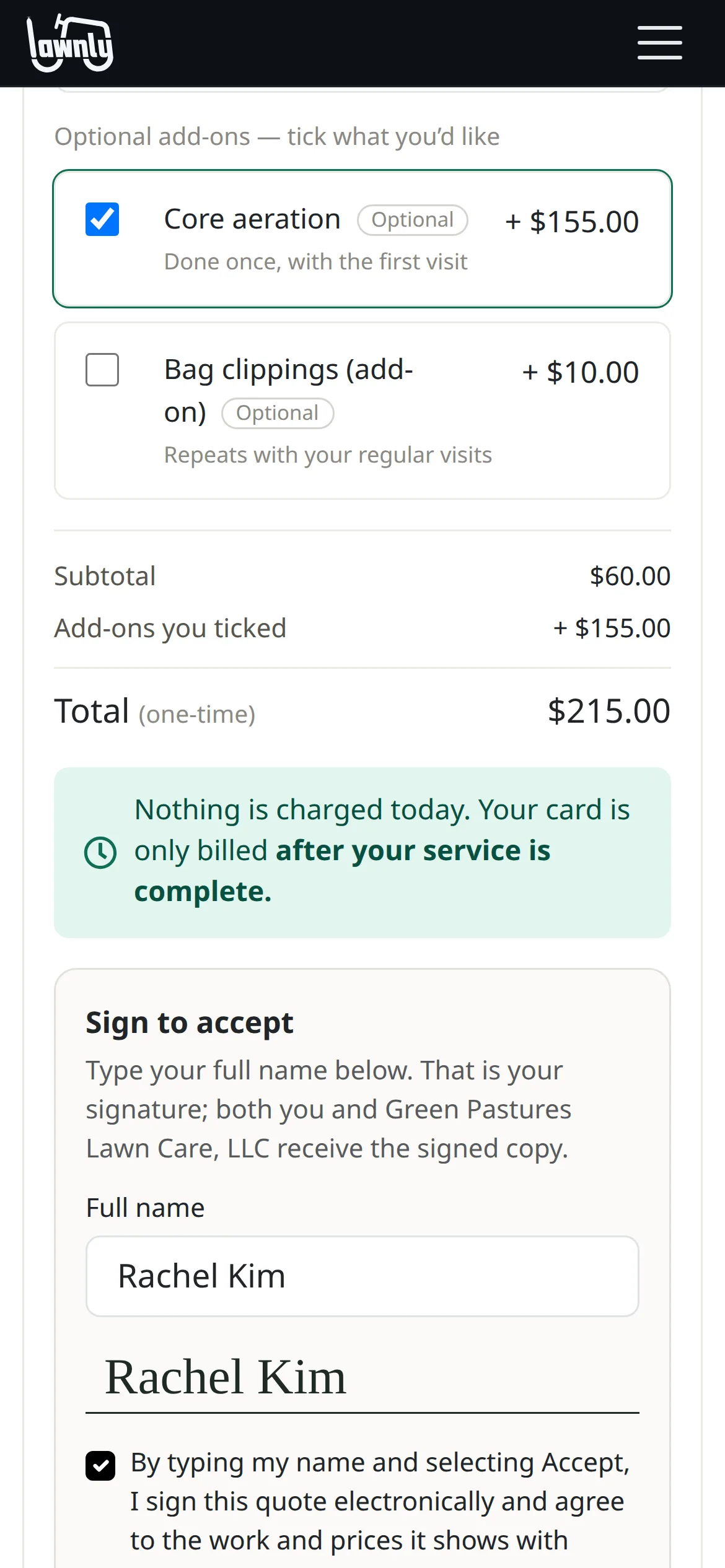
The customer opens the quote on their phone, picks their add-ons, types their name and taps accept. You both get the signed copy, and by default Lawnly makes the job from it.

  • No account, no app and no printing
  • Turn the signature off for a quote to let them accept with one tap
ExampleA customer’s phone on the quote link: core aeration ticked as an add-on, the total updated to match, and their typed name as the signature.

Requests from your website become quotes

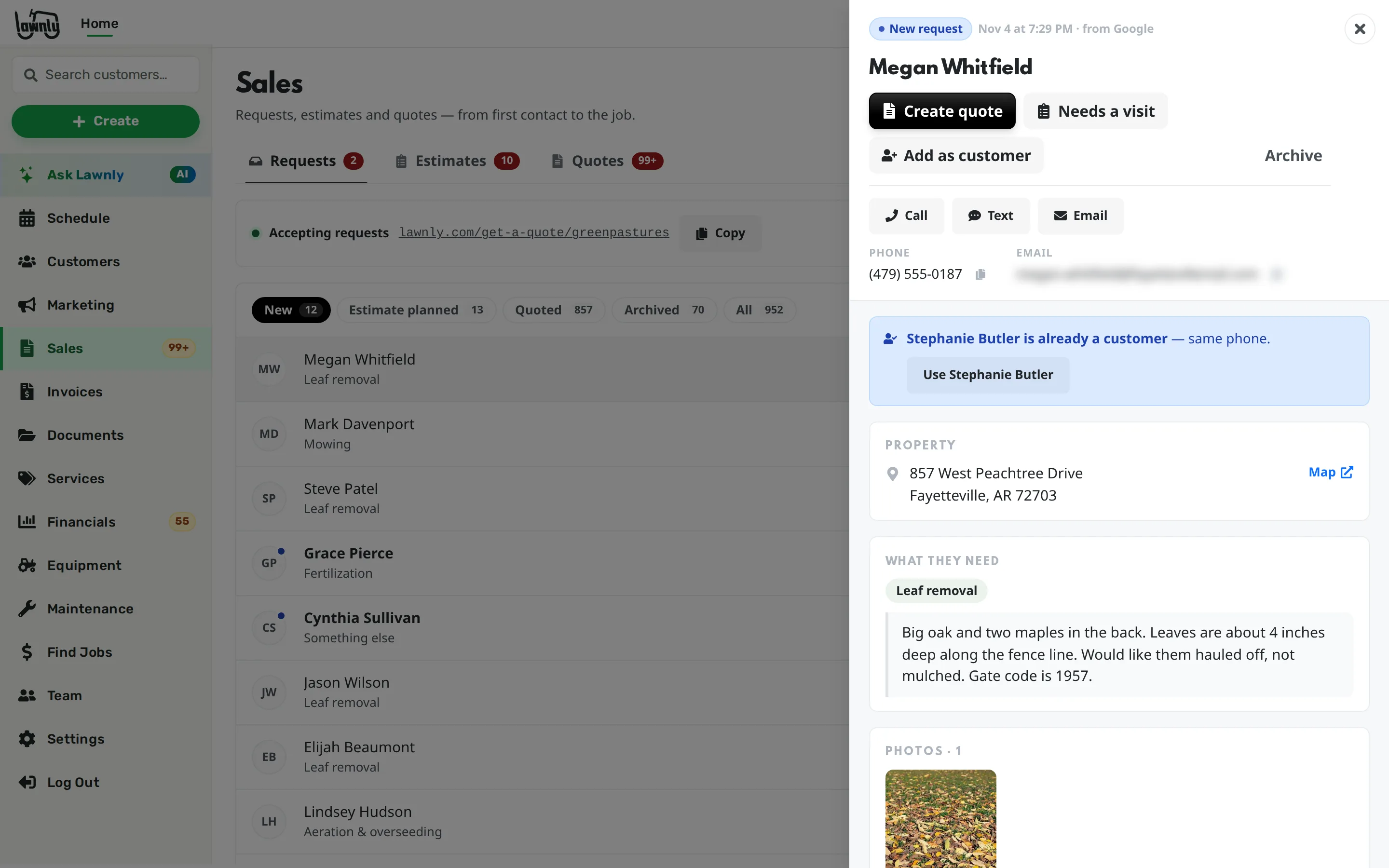
People who fill in your quote form land in Sales with their address, what they need and photos. Make a quote in one tap, or plan a visit first if you need to see the yard.

The Requests list in Sales with a new request open, showing the address, the services wanted, a yard photo and a Create quote button.

Say it, it’s done

Draft the quote by typing or talking. Nothing is sent until you tap. Every exchange is an example.

Lawnly assistantExample
Quote the Hendersons: weekly mow $55, spring aeration $120.
Here's the quote for Dana Henderson: $55/week mowing + $120 aeration. Send it?
Send
Lawnly assistantExample
Quote the Parkers: 6 yards of mulch at $65 a yard and edging for $180.
Here’s the quote for Jim Parker: 6 yards of mulch at $65 and edging at $180, $570 in all. Send it?
Send
Lawnly assistantExample
Tell me when the Garcias accept their quote.
Done. I’ll tell you the moment they accept.
  • 1,100+
    Lawn care businesses on Lawnly
  • Up to 70%
    Of the office work Lawnly can handle
    136 of 193 hours a month for a 3-person office

Which plan fits

Start with Solo.

Quotes, the price book, online acceptance and the quote form are on every plan, so a one-truck business can quote like a bigger one from day one.

Compare every plan

Solo
$25/month
  • 1 crew
  • 2 users
  • 150 AI messages a month
  • 100 customer texts a month

30-day free trial · No card · No contract

Questions owners ask

Is the customer’s typed name a legal signature?

The customer types their full name, agrees to the terms and taps accept. Lawnly records the name, the time and the device on the signed copy you both get. For anything you need a lawyer’s view on, ask a lawyer.

Can I quote before I’m verified to take payments?

You can build and save quotes at any time. Sending needs a verified business, which includes adding your bank account.

How do I know the customer saw it?

The quote shows when it was opened. If it sits unopened or unanswered, it moves up your follow-up list.

What if a customer wants a change?

They can ask for changes from the quote. You revise it with their request at the top, and send the new version. The old link then opens the new quote.

Can the assistant send quotes?

It can draft a quote and send it after you tap to confirm. Follow-ups are a button on the quote, not something the assistant does.

Less paperwork. More lawns.

Try Lawnly free for 30 days. No card, no contract. Run it from the dashboard, or just tell it what you need.

30-day free trialNo cardNo contract