Marketing

Get requests from your own link. Keep customers coming back.

For owners who want more leads and fewer lapsed customers. Share your own quote form link, QR code or website embed, then email your customers all season.

30-day free trialNo cardNo contract

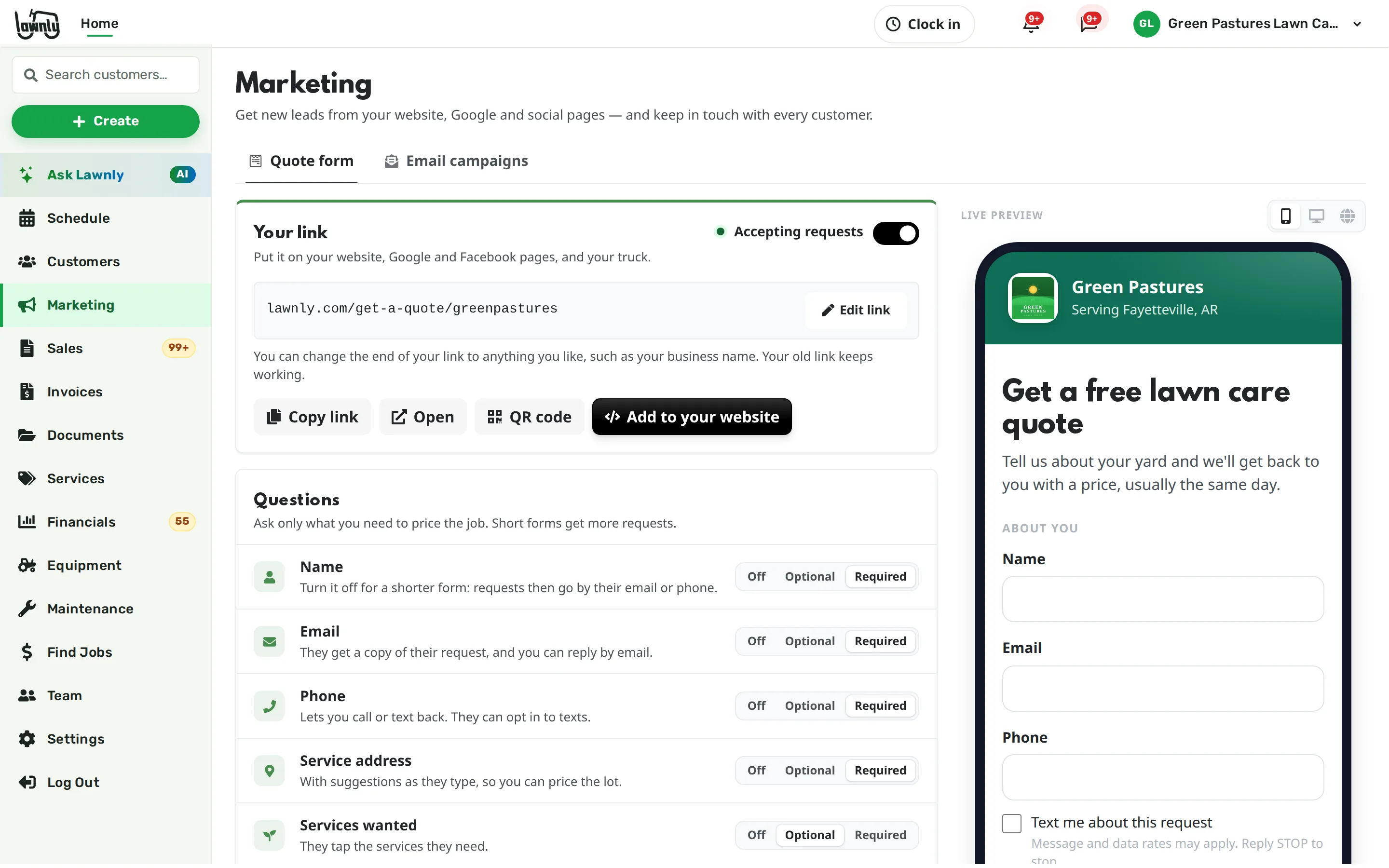
The Marketing tab with a live quote form with its lawnly.com link, a QR code and the share buttons.

Leads slip, and so do customers

Requests come in by text, Facebook and a missed call, and half of them never get a price. Last year’s customers drift off because nobody wrote to them in March.

Get found, get asked, stay in touch

The quote form and email campaigns are on every plan. Owners and managers see Marketing in the dashboard and the app.

A quote form with your own link

Turn it on in a minute. Your form lives at lawnly.com/get-a-quote/ followed by the handle you choose. Pick the questions, change the words and add your logo and colour.

  • Ask for name, email, phone, address, services, a description and up to 6 photos
  • Offer the services you do, plus up to 12 of your own
  • Pause it with one switch when you are booked solid
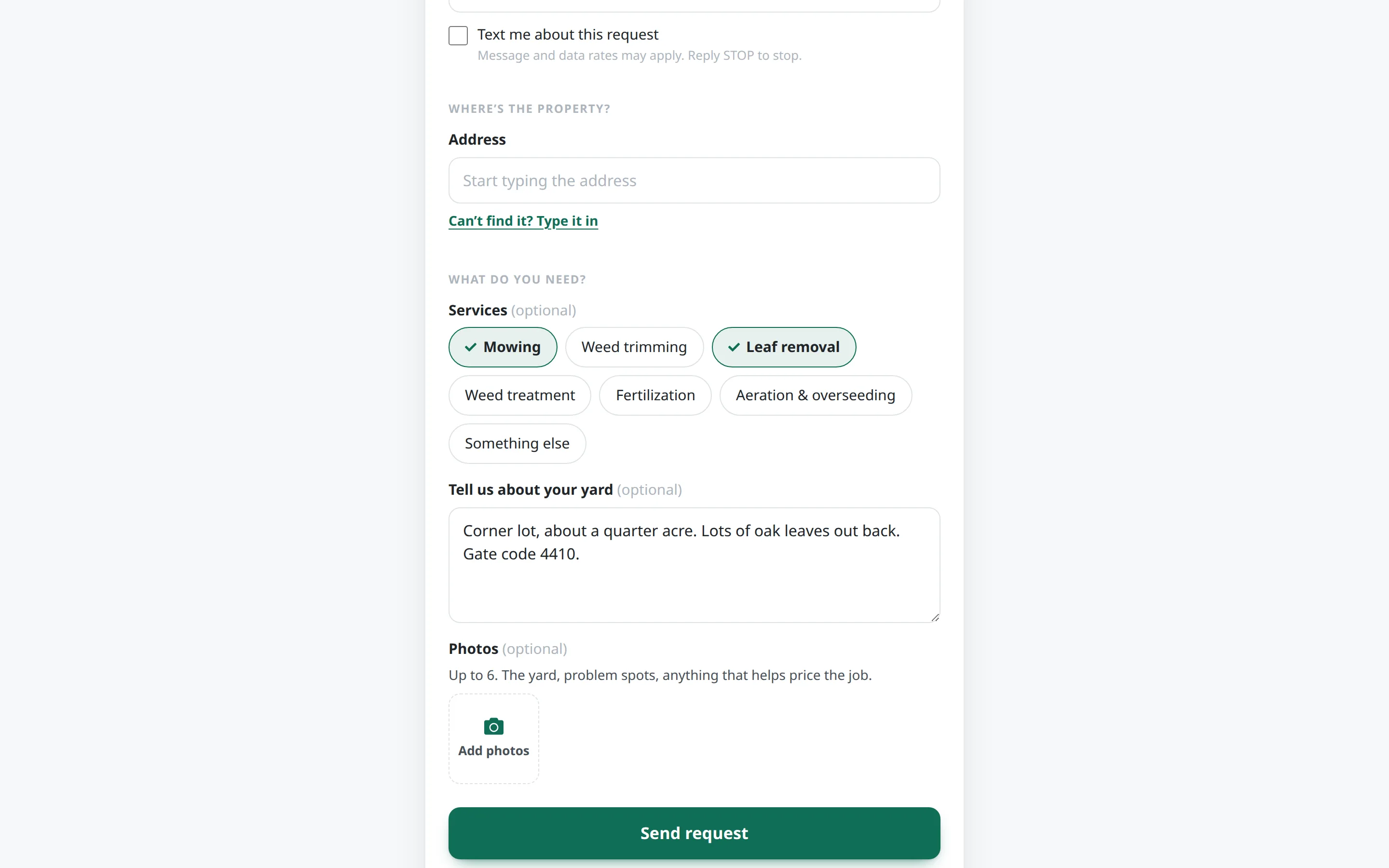
A lawn care business’s quote request form with service choices ticked, a note about the yard and a photo upload.

On a truck, a flyer or your website

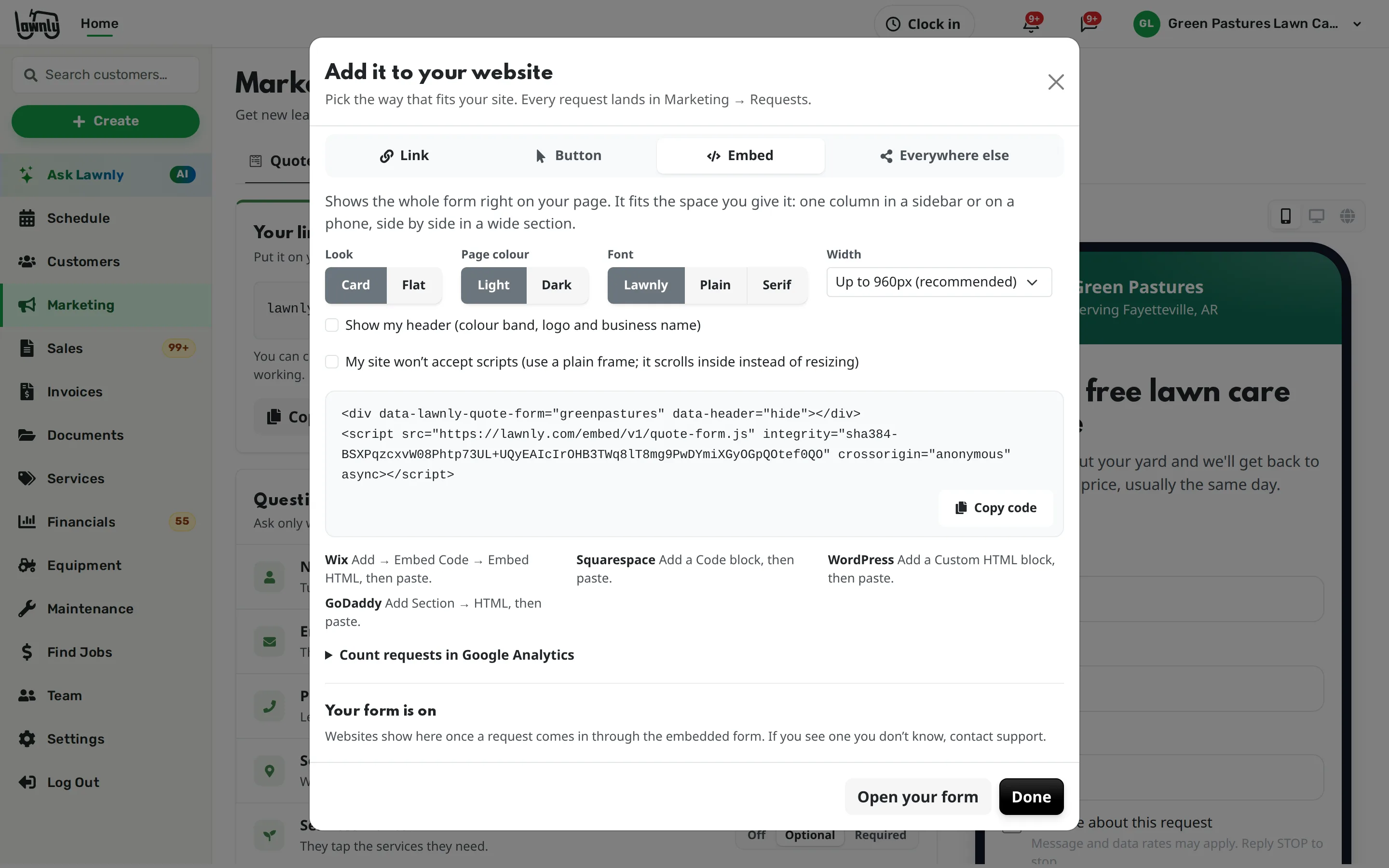
Download a QR code to print on a truck, a yard sign or a flyer. Own a website? Paste in a button or embed the whole form on your page, in your colours.

  • Links ready for your Google Business Profile, Facebook, Instagram, Nextdoor and email signature
  • Each link is tagged, so every request shows where it came from
  • Change your link later and the old one, and any QR code you printed, keeps working
The Add to your website window with a QR code to download and the embed code for the quote form.

Your branding, not ours

Your logo and colour show on the form and on the quotes you send. The small “Powered by Lawnly” line comes off on any paid plan.

  • It stays on during the free trial
  • Turn it off in the form’s look settings

Requests land ready to quote

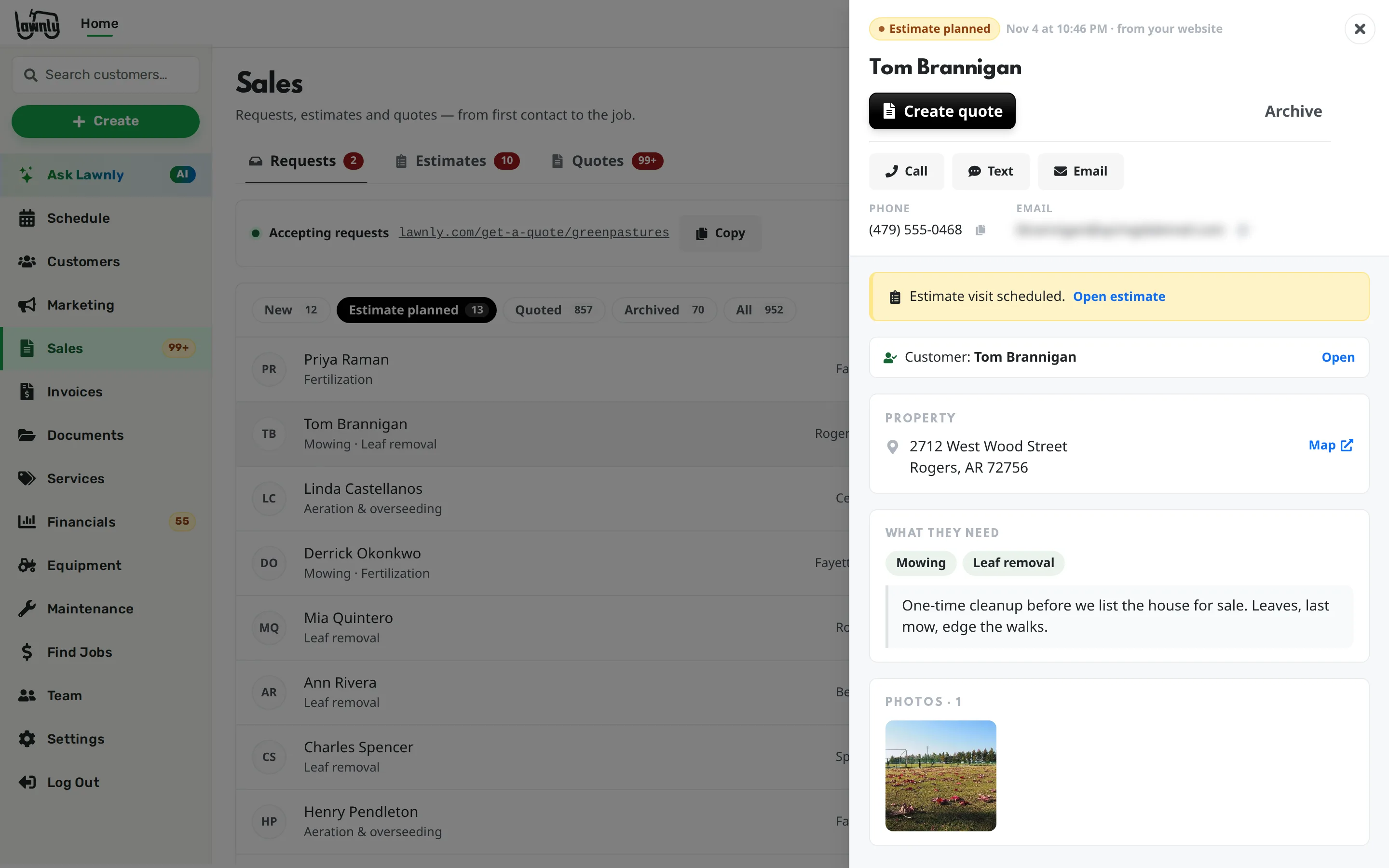
Each request shows up in Sales, under Requests, with the address, what they need and their photos. You and your managers get a push and an email the moment one arrives.

  • Create a quote in one tap, on their property
  • Or mark it as needing a visit and plan an estimate first
  • Add them as a customer, or archive spam
The Requests list in Sales with a new request open, showing a yard photo, the address and the Create quote button.

Email your customers, once or on a schedule

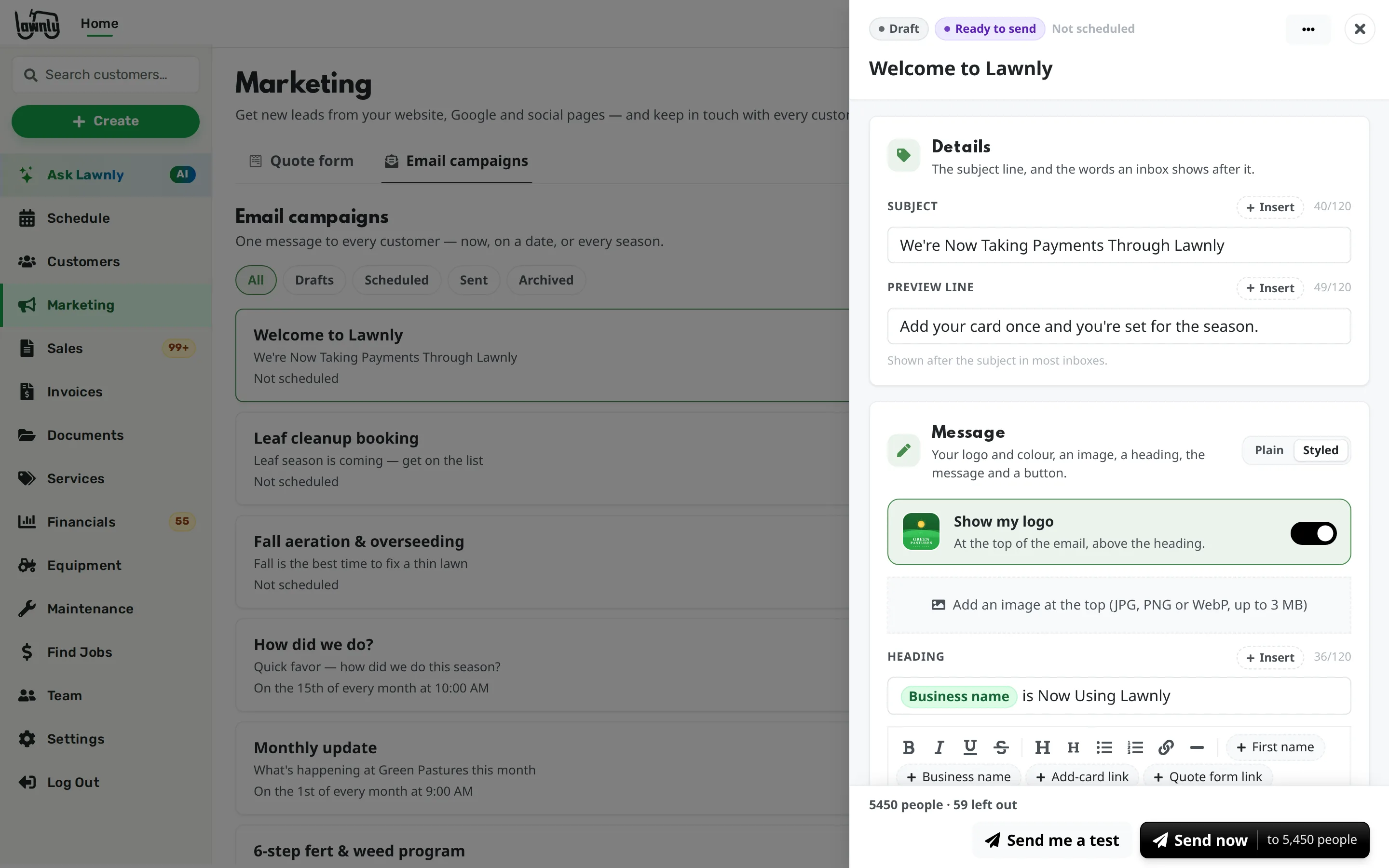
Write a spring start note, a fall cleanup reminder or an “add your card” ask. Use your logo and colour, a picture, a button and up to 3 attachments, and see exactly what they will get.

  • Send to everyone, customers only or leads only, then narrow by city or ZIP
  • Reach only the customers who have no card on file yet
  • Send now, on a date, or repeat weekly, monthly or yearly
  • See how many were delivered, opened and unsubscribed
The email campaign editor with a styled welcome email, the business logo turned on and the number of people it will reach.

One-off texts and emails, to customers who agreed

For a quick note, like “we start mowing March 1”, use Send to many in Messages. Pick who gets it, preview it and send. Texts go only to customers who agreed to them.

  • Every email carries an unsubscribe link
  • The message shows up in each customer’s thread

Customers stay in control

Nobody is emailed against their wishes

Marketing mail follows the rules your customers expect.

  • Every email has an unsubscribe link. Unsubscribes are honoured on every campaign and on Send to many.
  • Texts go only to customers who agreed to texts.
  • A customer who unsubscribes from you still gets mail from other businesses they use.
  • Nothing is sent until you press send or schedule it, and you can send yourself a test first.

Or just tell Ask Lawnly

It drafts the email as a campaign and shows you who gets it. Nothing goes out until you press send.

Lawnly assistantExample
Email all my customers that we start mowing March 1.
Drafted “We start mowing March 1” as a campaign. It goes to 212 customers with an email; 6 are left out because they unsubscribed or have no email.
Send to 212 people
Lawnly assistantExample
Tell my customers we’ve switched to Lawnly.
Your Welcome to Lawnly email is ready. It goes to the 48 customers without a card on file, with a button to add one.
Send to 48 people
  • 1,100+
    Lawn care businesses on Lawnly

Which plan fits

Start with Solo.

The quote form, QR code, embed, requests inbox and email campaigns are on every plan. Any paid plan takes the “Powered by Lawnly” line off your form.

Compare every plan

Solo
$25/month
  • 1 crew
  • 2 users
  • 150 AI messages a month
  • 100 customer texts a month

30-day free trial · No card · No contract

Questions owners ask

Do I need a website?

No. The form is its own page with its own link, so you can put it on a truck, a flyer or your Google profile. If you do have a site, paste in a button or embed the form.

Will emails come from my own address?

They come from Lawnly’s mail address with your business name as the sender, and replies go straight to your business email.

Can I take the “Powered by Lawnly” line off?

Yes, on any paid plan. It stays on while you are on the free trial.

What happens when someone unsubscribes?

They are left out of every later campaign and Send to many email from you, and you still see them in your customer list. Texts follow the customer’s own text consent.

Can I see what a campaign did?

Yes. Each send lists how many people it reached and how many it delivered to, how many opened it, and how many bounced or unsubscribed. Click a send for each person.

Who can use Marketing?

Owners and managers see Marketing, on the web and in the app. To send campaigns, a manager needs customer messaging access, which you can give them.

Less paperwork. More lawns.

Try Lawnly free for 30 days. No card, no contract. Run it from the dashboard, or just tell it what you need.

30-day free trialNo cardNo contract