Reports

Know your numbers any day, not just at tax time.

For owners who only learn how the year went in April. See what you were paid, what you billed and who still owes you, for any period.

30-day free trialNo cardNo contract

The Reports page with a chart of money received over the season and cards for income received, invoiced and owed to you now.

You find out in April

Most owners guess how the season is going. The real answer sits in a shoebox of receipts and three apps, and your accountant asks for it all at once.

Answers you can open any day

Reports are for owners and anyone you give the “See reports” permission.

Money in, billed and still owed

Pick this month, last quarter, year to date or your own dates. See what you were paid, what you invoiced and what customers still owe, with the oldest unpaid invoices on top.

  • Count by invoiced or by cash received, whichever your accountant uses
  • Checks and cash you record on invoices count as money in
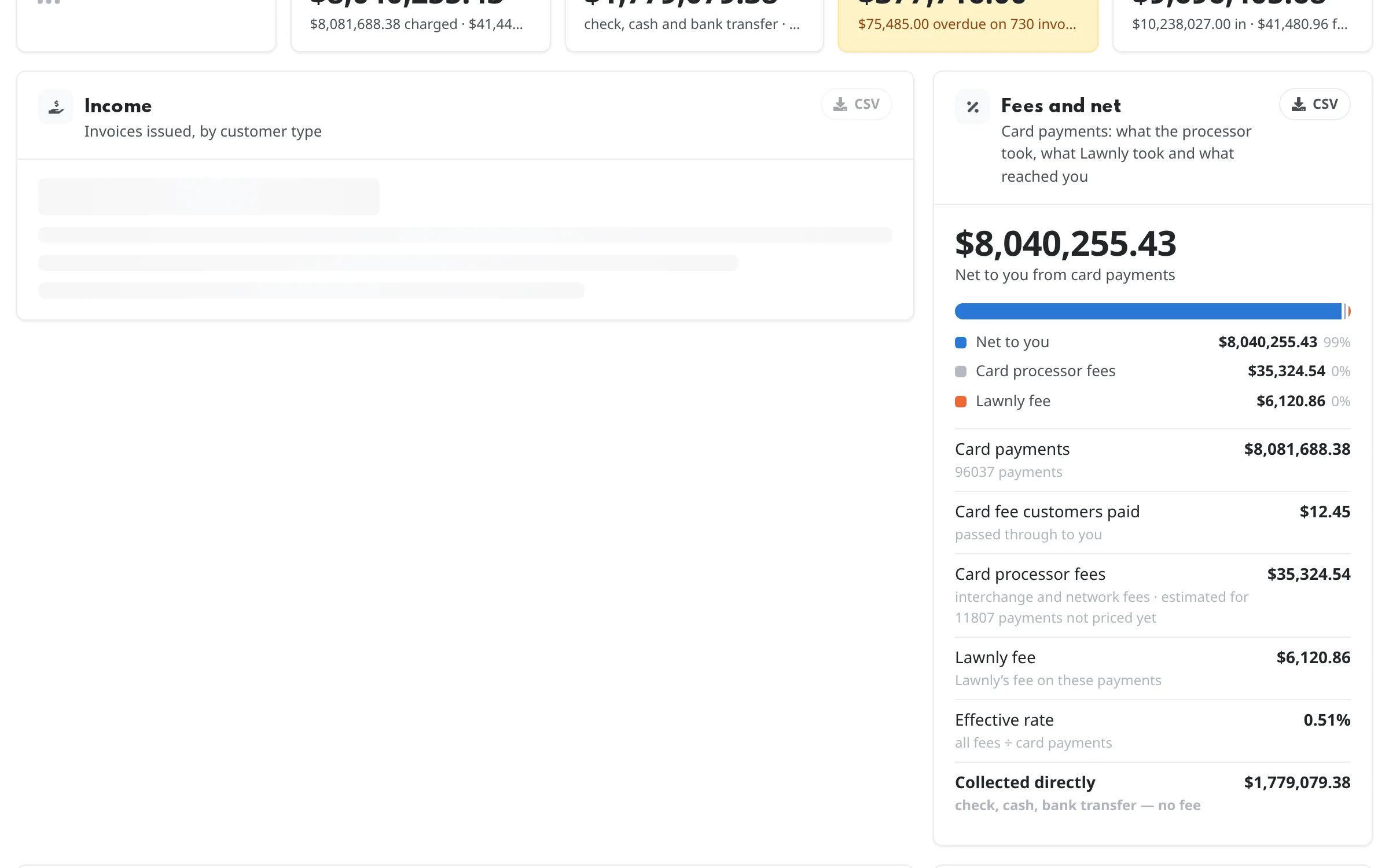
  • Refunds and card fees are shown on their own
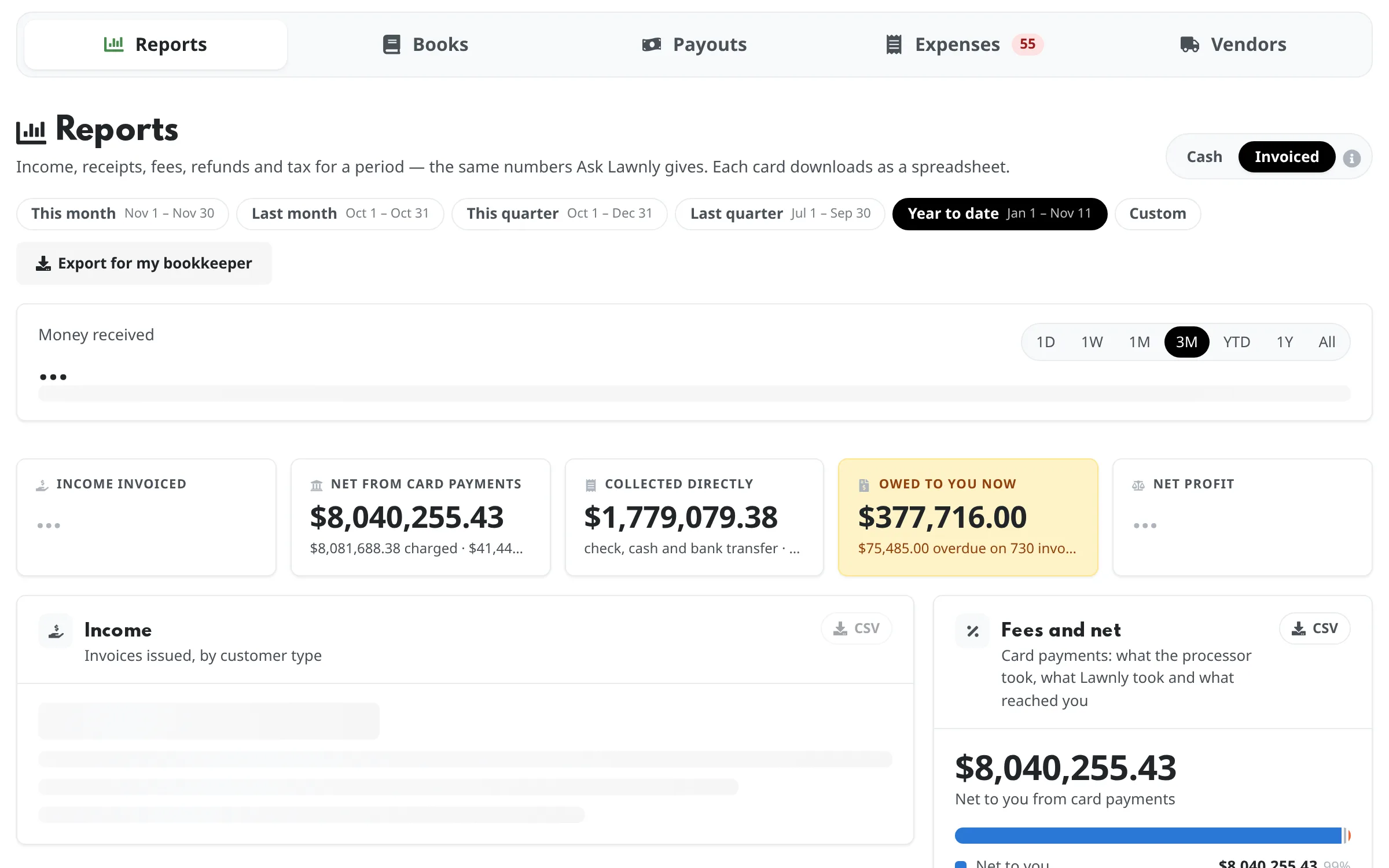
Reports with the period set to year to date, showing income received, net from card payments and the amount owed to you now.

Which customers and services pay the bills

Income by customer, by service and by crew, plus your top customers. Residential versus commercial totals show where the season’s money is coming from.

  • Totals for residential and commercial, so you can see which side is growing
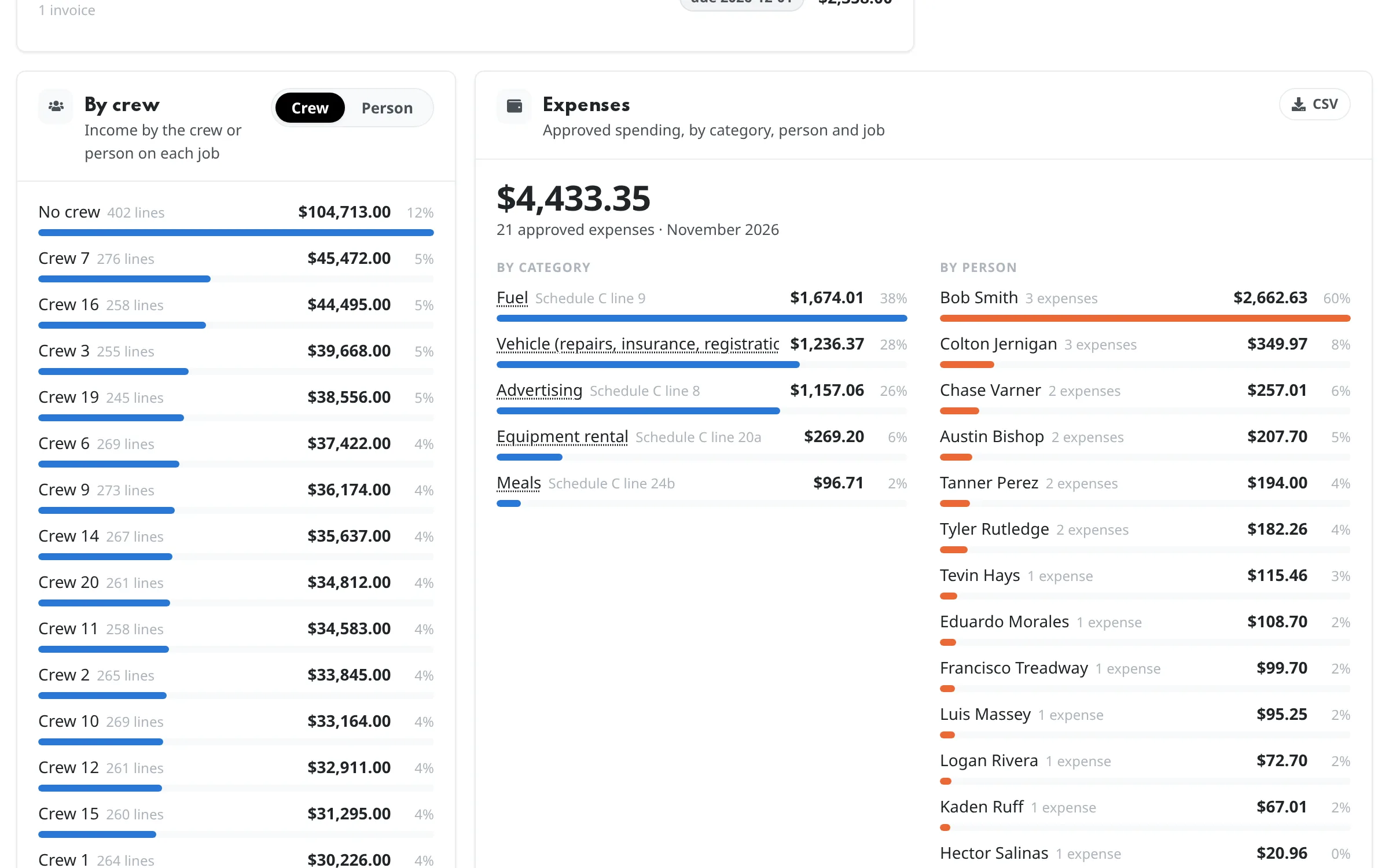
  • Income by crew or by person, from the jobs they ran
The Income card of Reports with totals split into residential and commercial, income by service and a list of top customers.
Crew and up

Expenses and net profit

Log fuel, parts and receipts as expenses, then see net profit: what you earned after processing fees, refunds and approved expenses. Snap a receipt and Lawnly reads it for you to check.

  • Expenses by category, person and job
  • Net profit on the same period and basis as the rest of Reports
The Expenses card of Reports with spending by category and by person, beside income by crew.
Crew and up

Hand your accountant one file

Download one Excel workbook for the period, with income, receipts, tax, invoices and expenses on their own sheets. Or download any single report as a CSV spreadsheet.

  • Timesheets and your customer list download as spreadsheets too
  • Lawnly doesn’t connect to accounting software

Say it, it’s done

Ask in plain words and get the answer, not a spreadsheet. Every exchange is an example.

Lawnly assistantExample
How'd commercial do vs residential this season?
This season: residential $61,900, commercial $48,200. Want it by service too?
Lawnly assistantExample
What did I bill in September, and what's still unpaid?
$24,600 billed in September. $1,840 is still unpaid across 6 customers.
Lawnly assistantExample
Revenue by month this season?
Apr $18,200 · May $24,900 · Jun $26,100 · Jul $25,400 · Aug $22,800 · Sep $24,600
  • Up to 70%
    Of the office work Lawnly can handle
    136 of 193 hours a month for a 3-person office
  • 1,100+
    Lawn care businesses on Lawnly
“After transitioning to Lawnly in 2026 we've been running much more efficiently as a business.”
Albert Lee, Willow St. Lawns
Albert Lee
Willow St. Lawns
Spring Hill, Tennessee

Which plan fits

Start with Crew.

Money received, invoiced and owed, income by customer and service, and spreadsheet downloads are on every plan. Crew adds expenses, net profit and the accountant export.

Compare every plan

Crew
$99/month
  • Up to 3 crews
  • 8 users
  • 1,000 AI messages a month
  • 600 customer texts a month

30-day free trial · No card · No contract

Questions owners ask

Do I need to be an accountant to read it?

No. Each card answers one question, like what you were paid or who owes you, in plain words. The info button beside the invoiced and cash switch explains the difference.

What’s the difference between invoiced and cash?

Invoiced counts an invoice on the day you send it. Cash counts money on the day it arrives. Many accountants want invoiced for income and cash for receipts.

Can I send this to my accountant?

Yes. Download the workbook for the period you want, or any single report as a CSV. The workbook with the expenses sheet is on Crew and up.

Does it connect to my accounting software?

No. Lawnly doesn’t sync with accounting software, so the workbook and the spreadsheets are how you hand over your numbers.

Can my office manager see this?

Only if you give them the permission. Reports are for the owner and people you allow, and your crews never see them.

Less paperwork. More lawns.

Try Lawnly free for 30 days. No card, no contract. Run it from the dashboard, or just tell it what you need.

30-day free trialNo cardNo contract